Recurring acknowledgments
Last reviewed: 2026-05-24
Use recurrence when a policy needs to be re-acknowledged on a regular cycle — annual compliance training, quarterly security reminders, a semi-annual code-of-conduct refresh. You set the cadence on the policy itself, and Accedo automatically creates a fresh assignment for every signer at the start of each new period. The original signatures stay intact; the new period gets its own pending assignment, its own signing link, and its own audit trail.
Available cadences
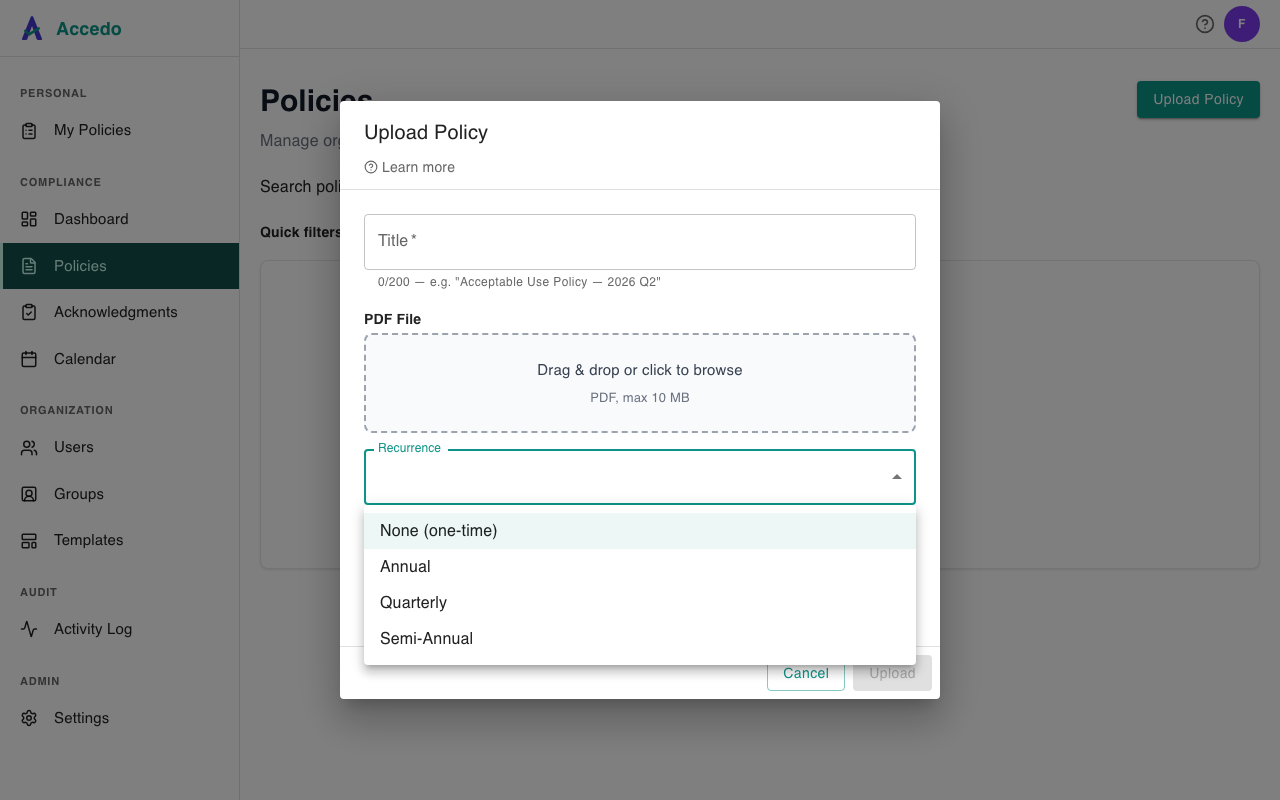
When you create or edit a policy, the Recurrence control offers four options:
- None — one-time acknowledgment. Once a signer signs, they are done forever (unless you re-assign manually or upload a new version that prompts a re-assignment).
- Annual — one period per calendar year. The current period is the four-digit year (for example
2026). A new period begins on January 1 (UTC). - Quarterly — four periods per calendar year, aligned to calendar quarters. The current period is written as
YYYY-Q1throughYYYY-Q4— Q1 covers January–March, Q2 April–June, Q3 July–September, Q4 October–December. New periods begin on the first day of each quarter (UTC). - Semi-Annual — two periods per calendar year. The current period is written as
YYYY-H1(January–June) orYYYY-H2(July–December). New periods begin on January 1 and July 1 (UTC).
Periods are calendar-aligned, not anchored to the policy's creation date. A quarterly policy you create on November 20 still rolls into Q1 of the next year on January 1 — it does not wait until February 20.
Current period on the policy detail page
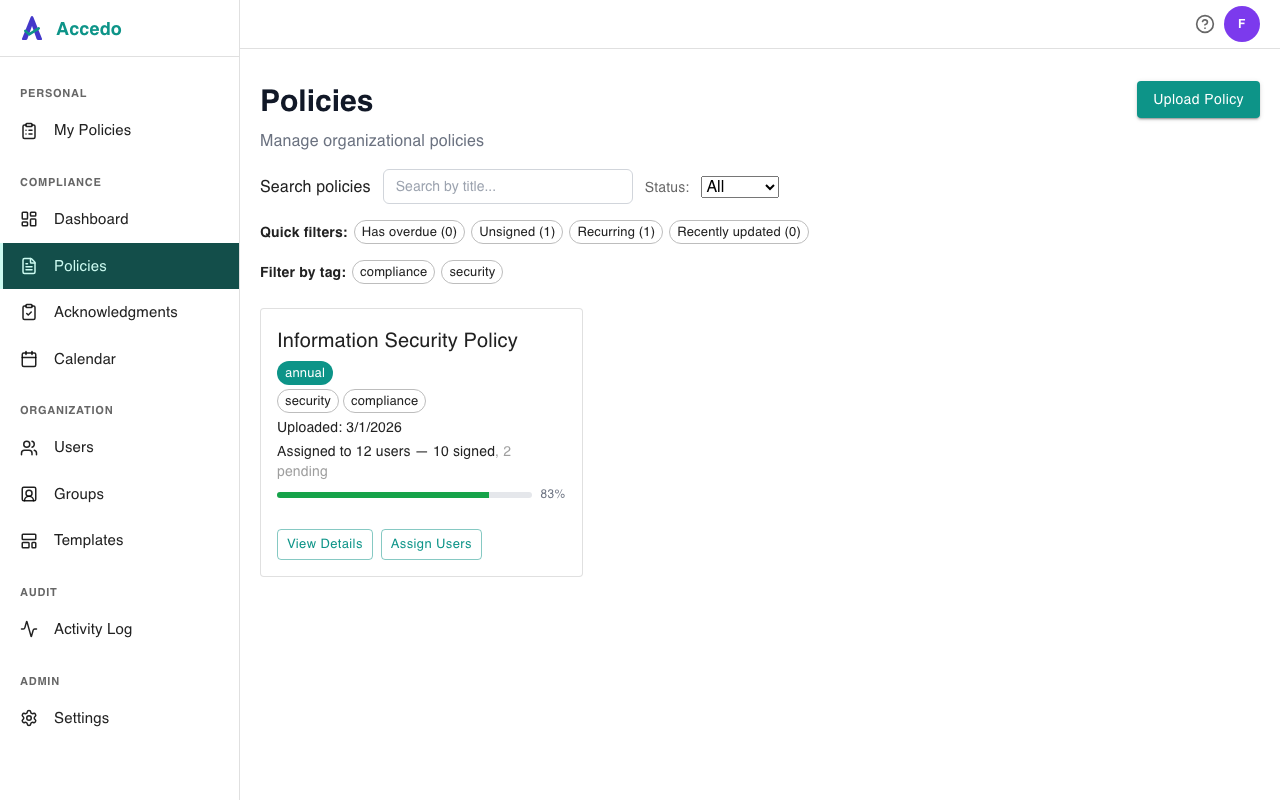
On the Policies list, every recurring policy shows a cadence badge next to its title (annual, quarterly, or semi-annual). Open a policy to see the badge alongside its Current period label — for example, annual · Current period: 2026 or quarterly · Current period: 2026-Q2. The period shown is the one assignments created right now will be filed under. Acknowledgments on the detail page are grouped by this period so you can see at a glance who is current and who still owes a signature for the active cycle.

What happens at rollover
Accedo checks recurring policies once a day. When a new period starts, the rollover does the following for every policy with recurrence set:
- For each signer who was ever assigned to the policy, a new pending assignment is created for the new period — with a fresh signing token and its own audit row. Rolled-over assignments don't carry a due date by default; set one explicitly when you assign the policy if you need one.
- A new signing-request email goes out to each rolled-over signer, with a magic link to acknowledge the policy for the new period (see Sign-off and magic links).
- Signers who already have a current-period assignment are not duplicated — the rollover only fills in the gaps.
- Prior-period signatures are preserved unchanged. A signature captured in
2025stays signed in2025; rollover never touches historical rows. Receipts and certificates for previous periods remain available for the policy's retention window.
If a signer never acknowledged the prior period, that prior assignment stays pending — it does not get cancelled by the rollover. You can revoke or chase it from the policy's acknowledgments view; see Declines, exceptions, and overdue items.
Setting recurrence
Recurrence is a property of the policy. Set it when you first upload (Create a policy) or change it later from the policy's Policy Settings panel (Edit a policy). Changing the cadence applies going forward only — existing signed acknowledgments are unaffected, and pending assignments keep their original period.
Recurrence is included on the Standard and Premium plans. On the Free plan the Recurrence control is replaced with an upgrade notice in the upload and edit modals, and any policy on a Free tenant is treated as one-time even if a value was set earlier on a paid plan.