Policies overview
Last reviewed: 2026-05-24
A policy in Accedo is a PDF plus its metadata — a title, optional tags, and an optional recurrence schedule. Policies are the documents your team needs to acknowledge: an acceptable-use policy, a code of conduct, an annual security training, whatever requires a signed record. Each policy can carry many versions over time, and signers acknowledge specific assignments rather than the policy itself.
One-off vs recurring policies
When you upload a policy, you decide how often signers must re-acknowledge it:
- One-time (no recurrence). Use this for policies that only need a single sign-off — a confidentiality agreement at onboarding, a one-off acknowledgment of a procedure change, anything where signing once is enough.
- Recurring (annual, semi-annual, or quarterly). Use this for policies that need to be re-acknowledged on a schedule — a yearly security training, a quarterly compliance attestation. Accedo automatically opens a new acknowledgment period each cycle and re-prompts the assigned signers. Recurrence is included on Standard and Premium plans. See Recurring acknowledgments for how each schedule behaves.
If you are not sure, start with one-time — you can switch a policy to recurring later from the policy's detail page without losing existing signatures.
Where your policies live in the app
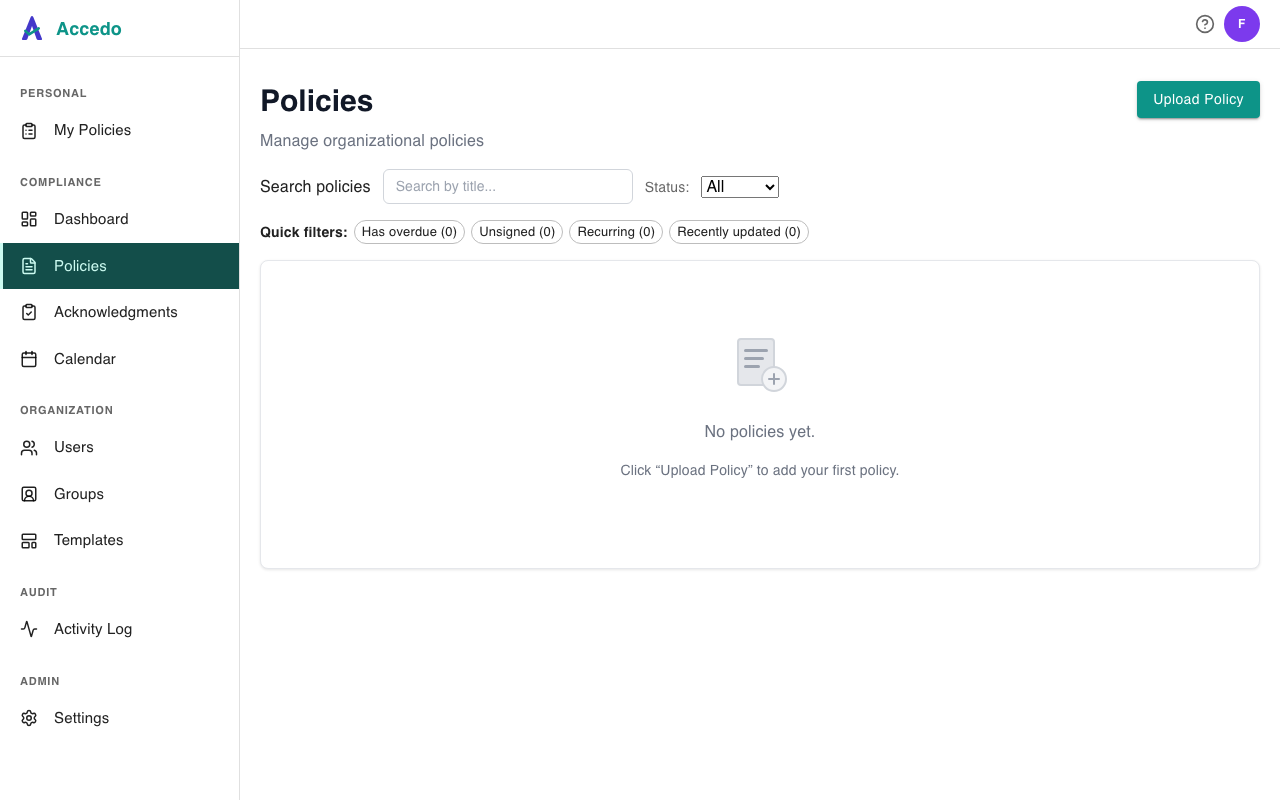
Open Policies from the sidebar to see every policy in your workspace. The page lists each policy with its title, recurrence badge, tags, and a small progress summary (signed / total assignments). Use the search box, the status dropdown (All / Active / Inactive), the quick-filter chips (Has overdue, Unsigned, Recurring, Recently updated), and the tag chips to narrow the list. Clicking a policy opens its detail page, where admins can view versions, edit metadata, and assign signers. A fresh workspace shows an empty state — admins see a hint to click Upload Policy to add the first one.