Most handbooks and compliance policies are not signed once and forgotten. Teams re-acknowledge the employee handbook every year, refresh a code of conduct on a regular cycle, or repeat a security reminder each quarter. The hard part has never been the first signature — it is keeping the re-acknowledgment current for everyone, period after period, without a spreadsheet that someone has to remember to update.
Accedo handles that cycle for you with recurrence. You set the cadence on the policy itself, and Accedo automatically creates a fresh assignment for every signer at the start of each new period. The original signatures stay intact; the new period gets its own pending assignment, its own signing link, and its own audit trail. This guide walks through how it works and how to set it up for an annual handbook.
Why a spreadsheet falls apart
A spreadsheet can record who signed last year, but it cannot start a new round on its own. Someone has to notice the year has turned, reset the status column, re-send the request to each person, and chase the stragglers — every single period. When that person is out, or the cell formula breaks, the cycle quietly stalls and you discover a gap only when an auditor asks for the current year's signatures. Recurrence removes the manual reset entirely: the new period opens on its own, and the work that is left is just signing.
How recurrence works in Accedo
Recurrence is a property of the policy. When you create or edit a policy, the Recurrence control offers four options:
- None — a one-time acknowledgment. Once a signer signs, they are done unless you re-assign them manually.
-
Annual — one period per calendar year. The current period is the four-digit year (for example
2026), and a new period begins on January 1 (UTC). This is the cadence to choose for an annual handbook re-acknowledgment. -
Quarterly — four periods per calendar year, aligned to calendar quarters and written as
YYYY-Q1throughYYYY-Q4. New periods begin on the first day of each quarter (UTC). -
Semi-Annual — two periods per calendar year, written as
YYYY-H1(January–June) orYYYY-H2(July–December). New periods begin on January 1 and July 1 (UTC).
Periods are calendar-aligned, not anchored to the policy's creation date. An annual policy you publish in November still rolls into the next year on January 1 — it does not wait twelve months from the day you created it. That makes the cycle predictable: every signer's re-acknowledgment renews on the same calendar boundary, no matter when they were first assigned.
What happens at rollover
Accedo checks recurring policies once a day. When a new period starts, the rollover does the following for every policy with recurrence set:
- For each signer who was ever assigned to the policy, a new pending assignment is created for the new period — with a fresh signing token and its own audit row.
- A new signing-request email goes out to each rolled-over signer, with a magic link to acknowledge the handbook for the new period.
- Signers who already have a current-period assignment are not duplicated — the rollover only fills the gaps.
-
Prior-period signatures are preserved unchanged. A signature captured in
2025stays signed in2025; rollover never touches historical rows, so last year's record is still there when you need it.
Because each period keeps its own assignment and its own audit trail, you always have a dated record of who acknowledged the handbook in which year — exactly what you want to produce when someone asks for the current cycle's signatures.
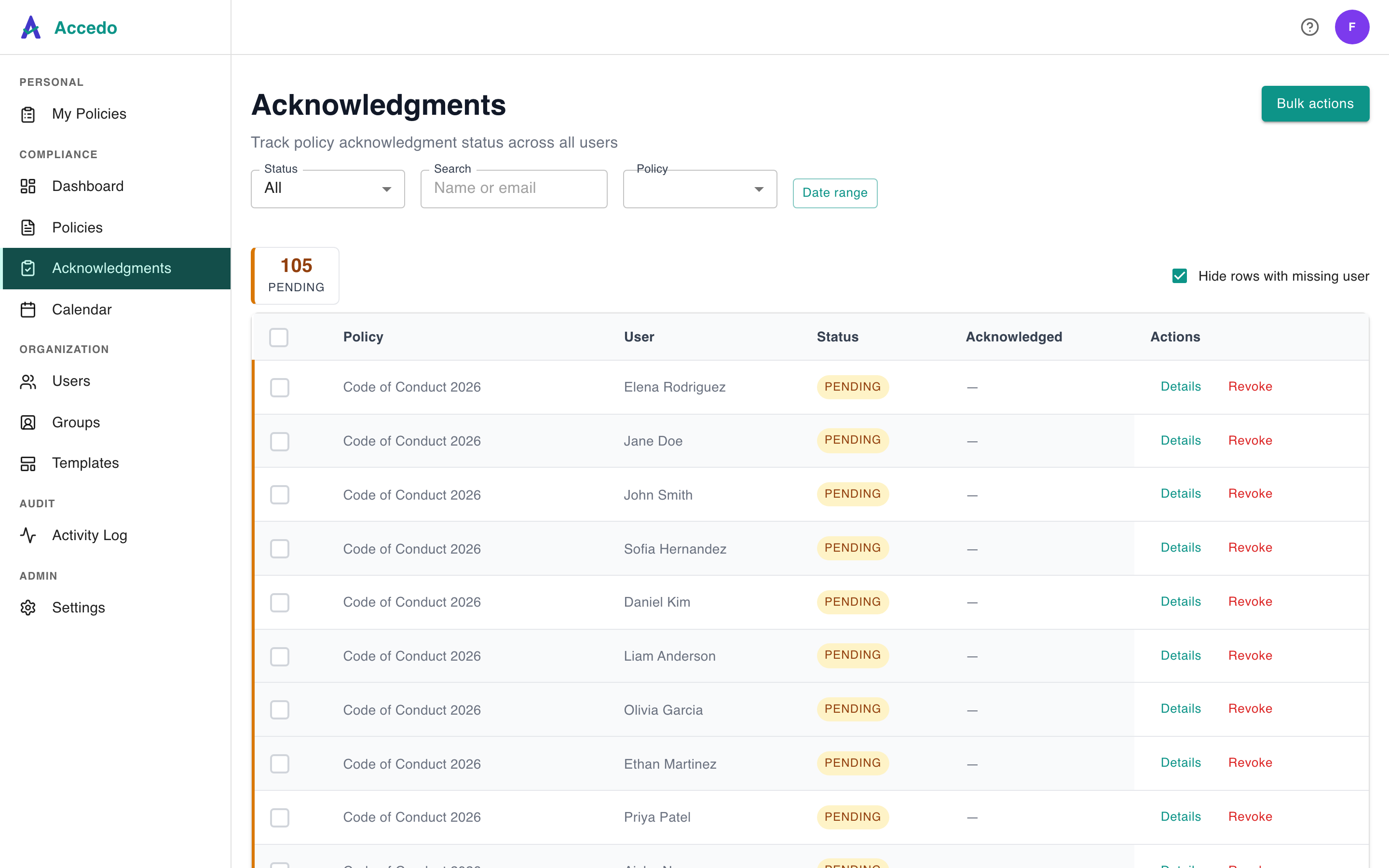
Seeing the current period
On the Policies list, every recurring policy shows a cadence badge next to its title. Open a policy to see the badge
alongside its Current period label — for example, annual · Current period: 2026. The period shown is the
one that assignments created right now will be filed under, and acknowledgments on the detail page are grouped by that period. At a
glance you can see who is current for the active cycle and who still owes a signature, without cross-checking a separate tracker.
Setting recurrence for an annual handbook
Set recurrence when you first upload the handbook, or change it later from the policy's Policy Settings panel. For an annual re-acknowledgment, choose Annual — and that is the entire setup. From that point on, every January 1 a fresh assignment opens for every signer, the request emails go out, and the prior year stays signed and on file. Changing the cadence applies going forward only; existing signed acknowledgments are unaffected, and pending assignments keep their original period.
That is the whole point of running re-acknowledgment in Accedo instead of a spreadsheet: you decide the cadence once, and the cycle takes care of itself every period after.